Calendar Gadget Back to top
The Calendar Gadget lets you embed a calendar view directly on your Jira dashboard. Team members can see scheduled events and issues at a glance without navigating to the full calendar.
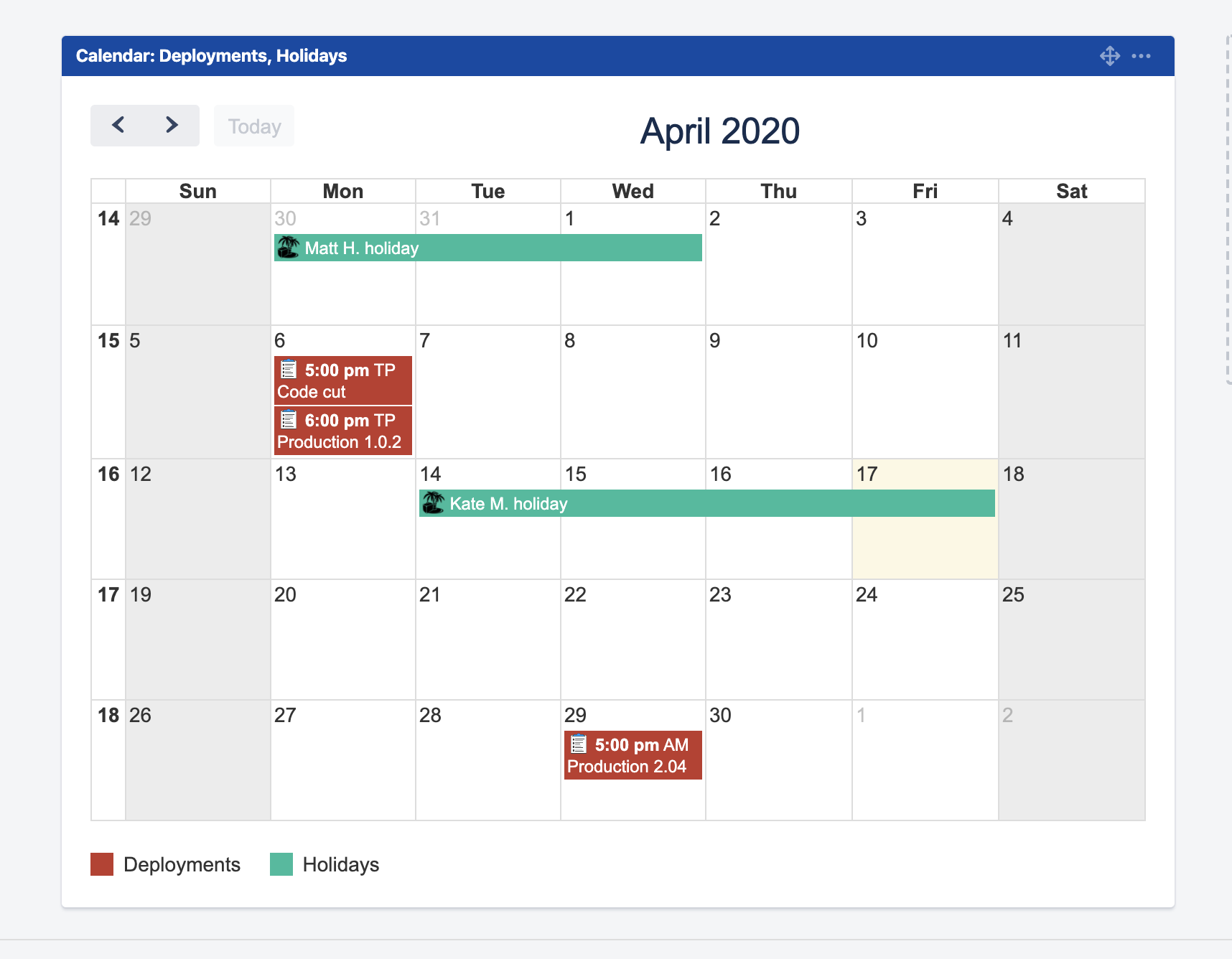


- Navigate to your Jira Dashboard and click "Add gadget".
- Load all gadgets and search for "Calendar for Jira".
- Select "Calendar for Jira Gadget" and add it to your dashboard.
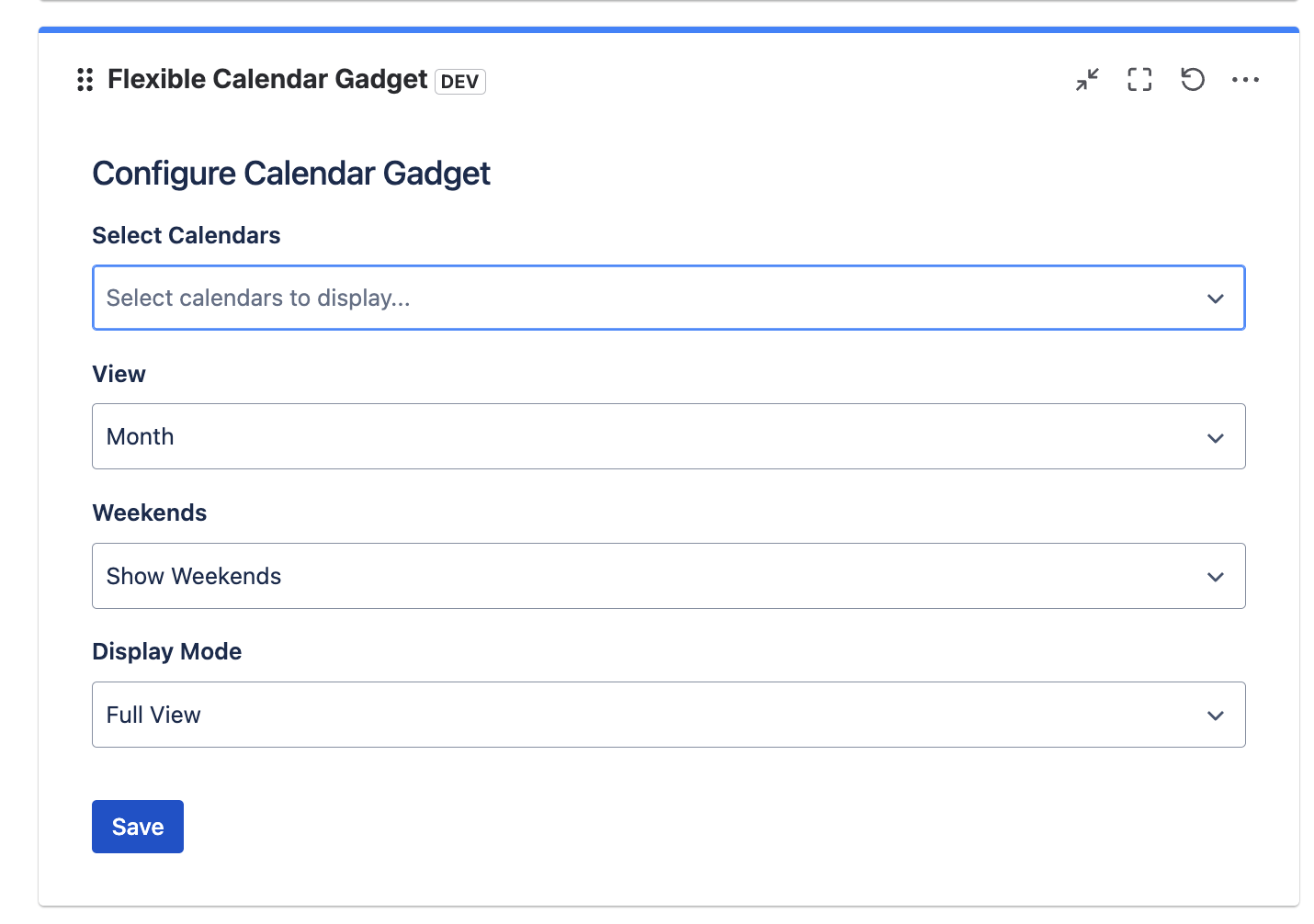
- Configure the gadget — Click the three-dot menu on the gadget and select "Configuration".
-
Set gadget options:
- Calendars to display: Select which calendars appear in the gadget
- Time Scope: Choose day, week, or month view
- Show Weekends: Toggle weekend visibility on or off
- Display Mode: Choose how events are rendered in the gadget
- Conditional colors: Pick which color rules apply in this gadget instance — each gadget can use a different set. See Conditional Colors for how rules work.
- Click Save to apply settings.
Upcoming Events Gadget Back to top
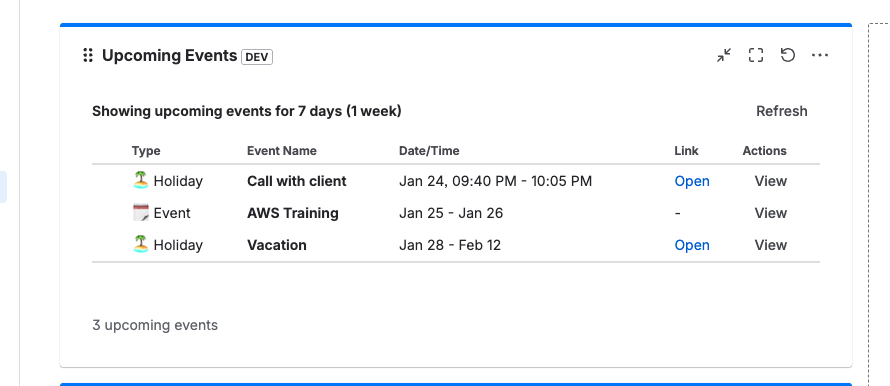
The Upcoming Events Gadget shows a chronological list of upcoming events from your selected calendars, making it easy to see what's coming next.
- Navigate to your Jira Dashboard and click "Add gadget".
- Search for "Upcoming Events" in the gadget list.
- Add the gadget to your dashboard.
-
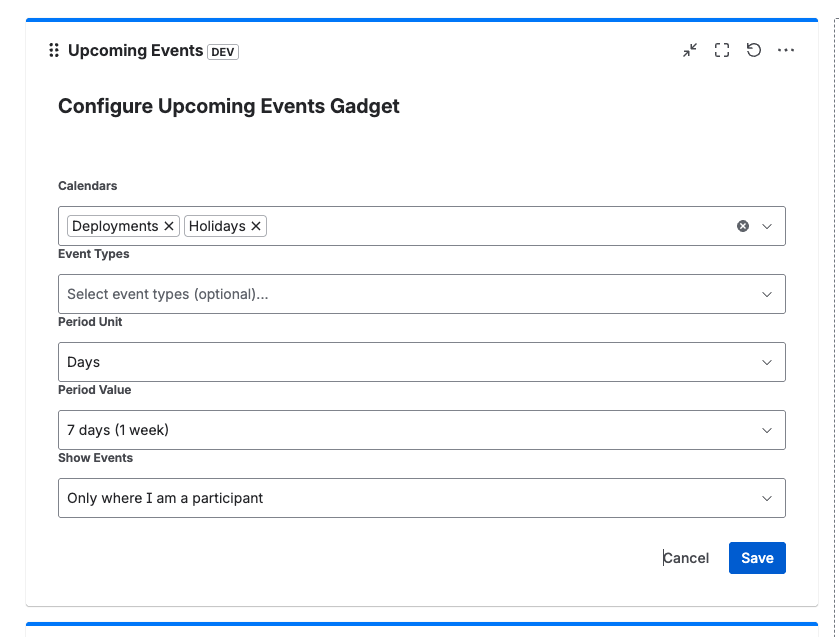
Configure the gadget settings:
- Select Calendars: Choose which calendars to pull events from
- Choose Event Types: Select which event types to display
- Set Period: Define the upcoming time range (days/weeks)
- Configure Show Events options: Customize which event details are visible
- Click Save to apply the configuration.
- View upcoming events — The gadget shows a chronological list of upcoming events.
- Click on any event to navigate directly to the event details.
Need Help?
If you have questions or need assistance with dashboard gadgets, our support team is here to help.
Contact Support