What a Space Calendar Is Back to top
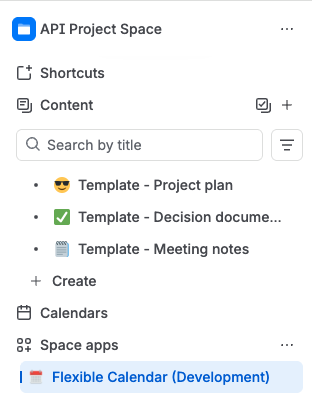
Every Confluence space has its own Calendar page, reachable from the space's sidebar (under Apps). It is the same full calendar as the hub — the same views, the same events, the same dialogs — with one important difference: the set of calendars shown is curated per space.
That makes a space calendar the natural home for "what matters to this team": the Design space shows the design-review calendar and the team's vacation calendar; the Release space shows the release schedule and the change freeze calendar. Same underlying calendars, different lens per space.
A New Space Starts Empty — By Design Back to top
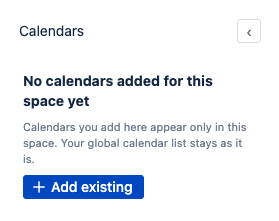
The first time you open a space's calendar page, its calendar list is empty:
"No calendars added for this space yet. Calendars you add here appear only in this space. Your global calendar list stays as it is."
This is deliberate. If every space started with a copy of your global sidebar, there would be nothing left to curate — every space calendar would just be the hub again. The emptiness is the invitation: add exactly the calendars this space's audience needs, via the panel's Add existing button (or Add Calendars → Create Calendar for a brand-new one).
What Carries Over from the Hub — and What Doesn't Back to top
| Carries over? | Why | |
|---|---|---|
| Favorite calendars | No — each space has its own set | Curating per space is the point. A new space starts empty. |
| Display preferences (view, weekends, …) | Yes — until you change them in the space | You chose "Month view" once, not per space. A space follows your global choice until you pick something else there, and from then on remembers its own. |
| Calendar access | Always the same everywhere | Permissions are a property of the calendar, not of the surface. A calendar shared with you is available to add on every surface; one that isn't shared with you can't be added anywhere. |
Everything Else Works Like the Hub Back to top
- All six views, drag & drop, and event popups.
- Creating and editing custom events (with Use or Admin access).
- Creating and editing calendars themselves (with Admin access) — a calendar created from a space page is a normal calendar, available everywhere.
- Conditional colors apply on space pages exactly as on the hub.
- Jira-sourced calendars show issues per your own Jira access.
Need Help?
If you have questions or need assistance, our support team is here to help.
Contact Support