Everything you need to manage resources
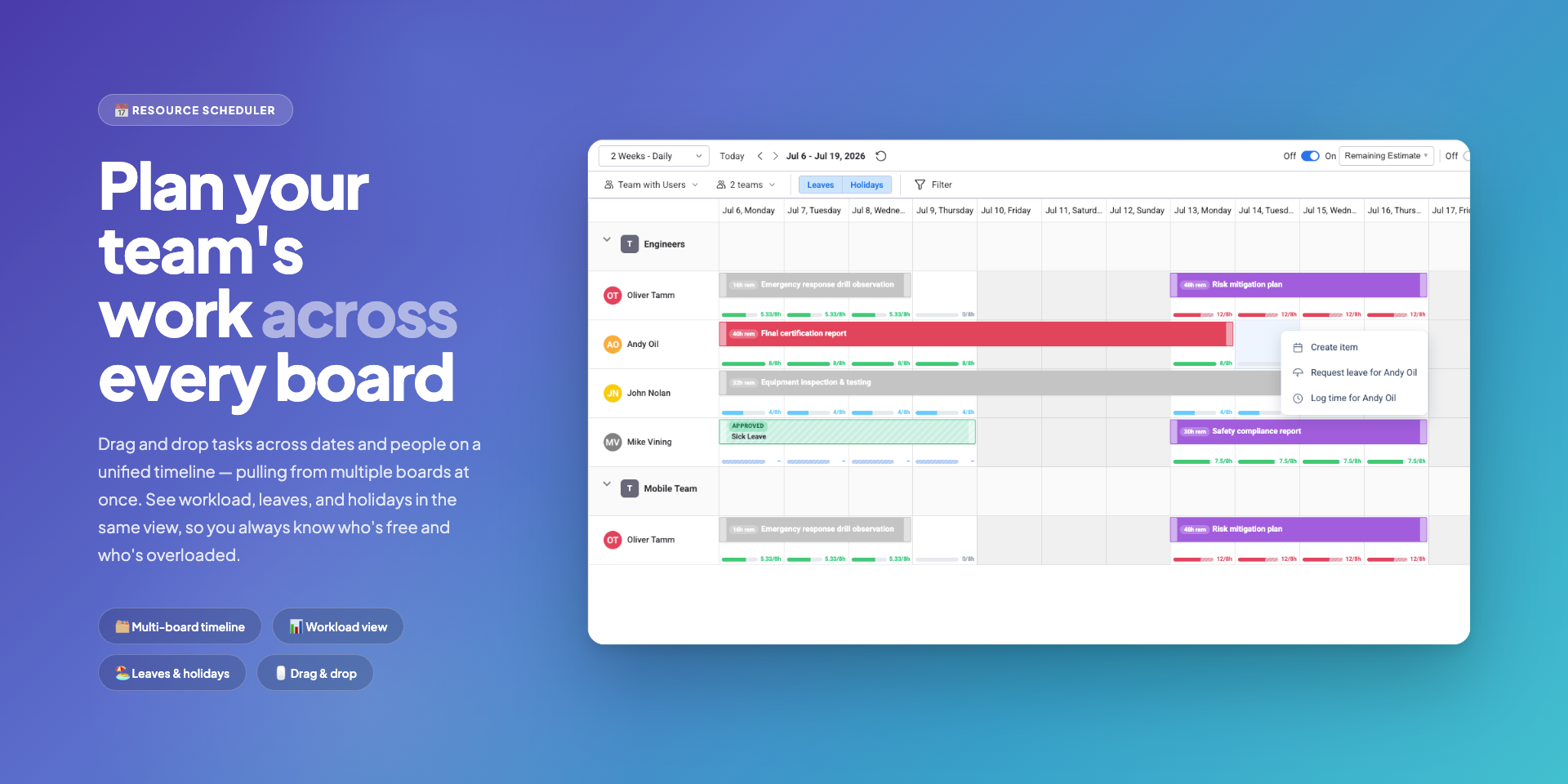
Resource Scheduler
A Gantt-like calendar that lets you visually plan and assign tasks with drag-and-drop simplicity. Switch between day, week, month, and year views to schedule your team at the right level of detail.
Learn more →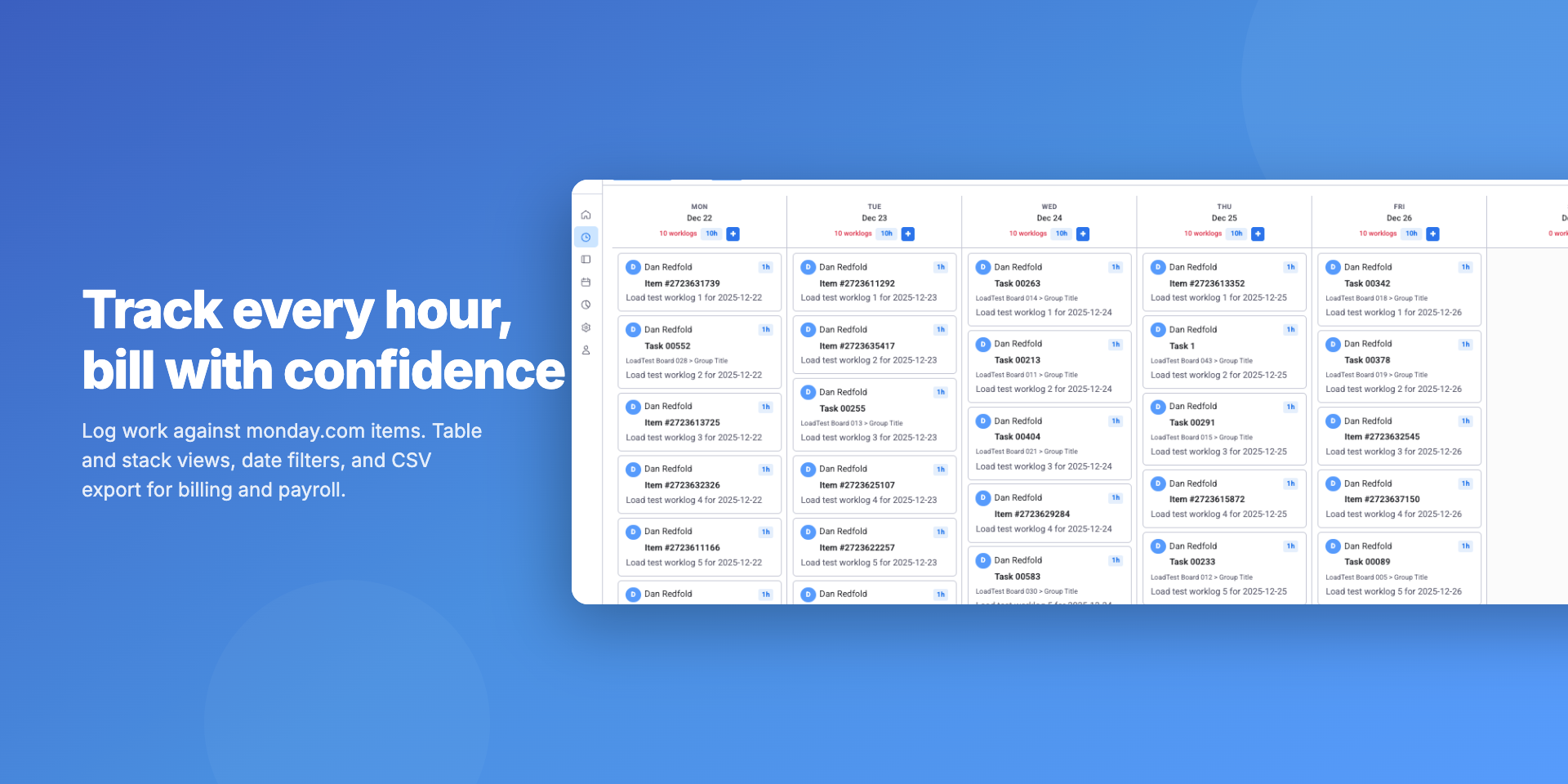
Time Tracking
Log worklogs directly against monday.com items from desktop or mobile, with flexible table and stack views. Filter by date range, group by project or person, and export to Excel for billing and payroll.
Learn more →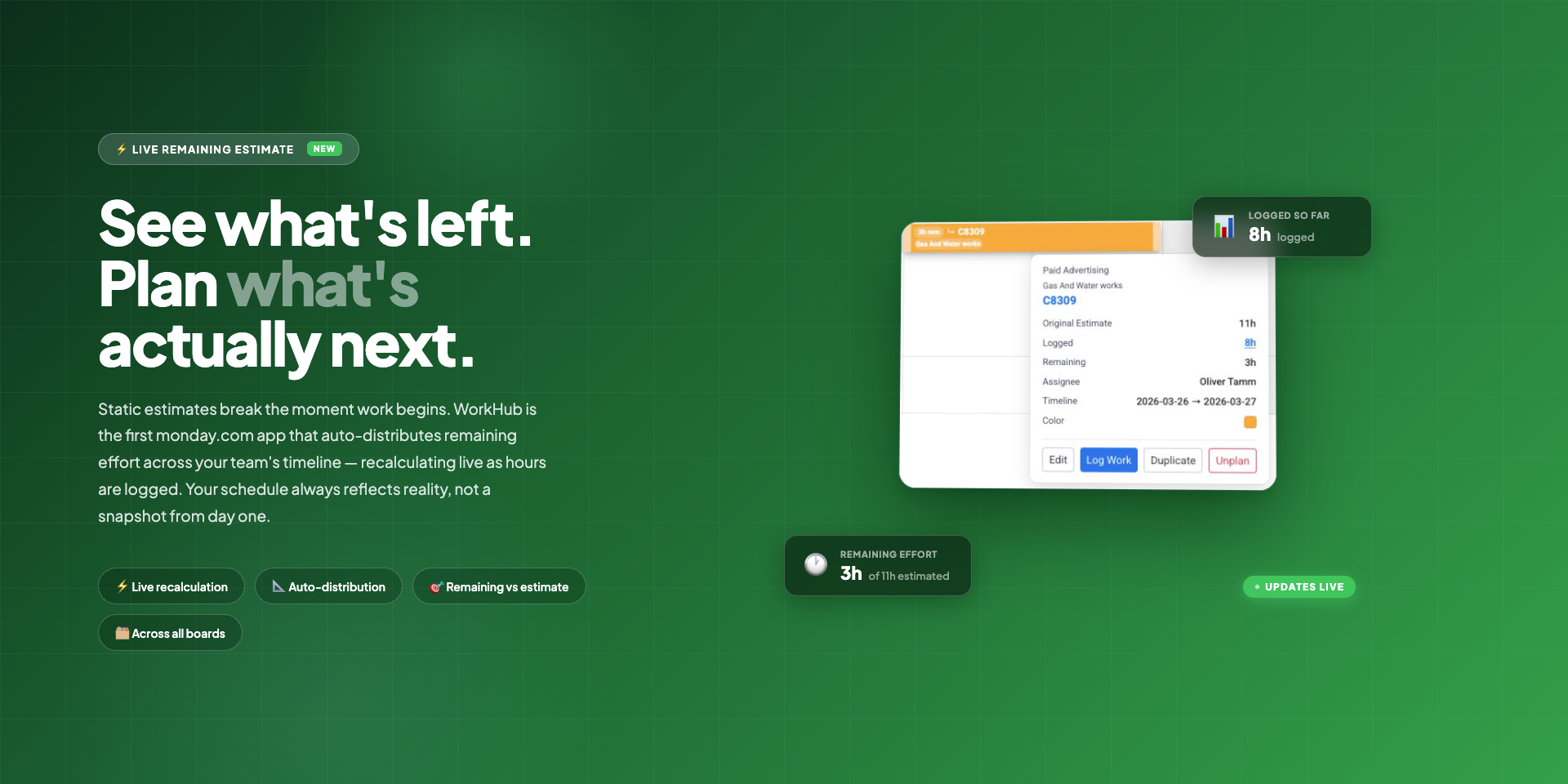
Remaining Estimates Calculation
Static estimates go stale the moment someone logs a single hour. WorkHub recalculates remaining effort in real time and spreads it across each assignee's upcoming working days - so you always know the true cost of what's left, not what was guessed at kick-off.
Learn more →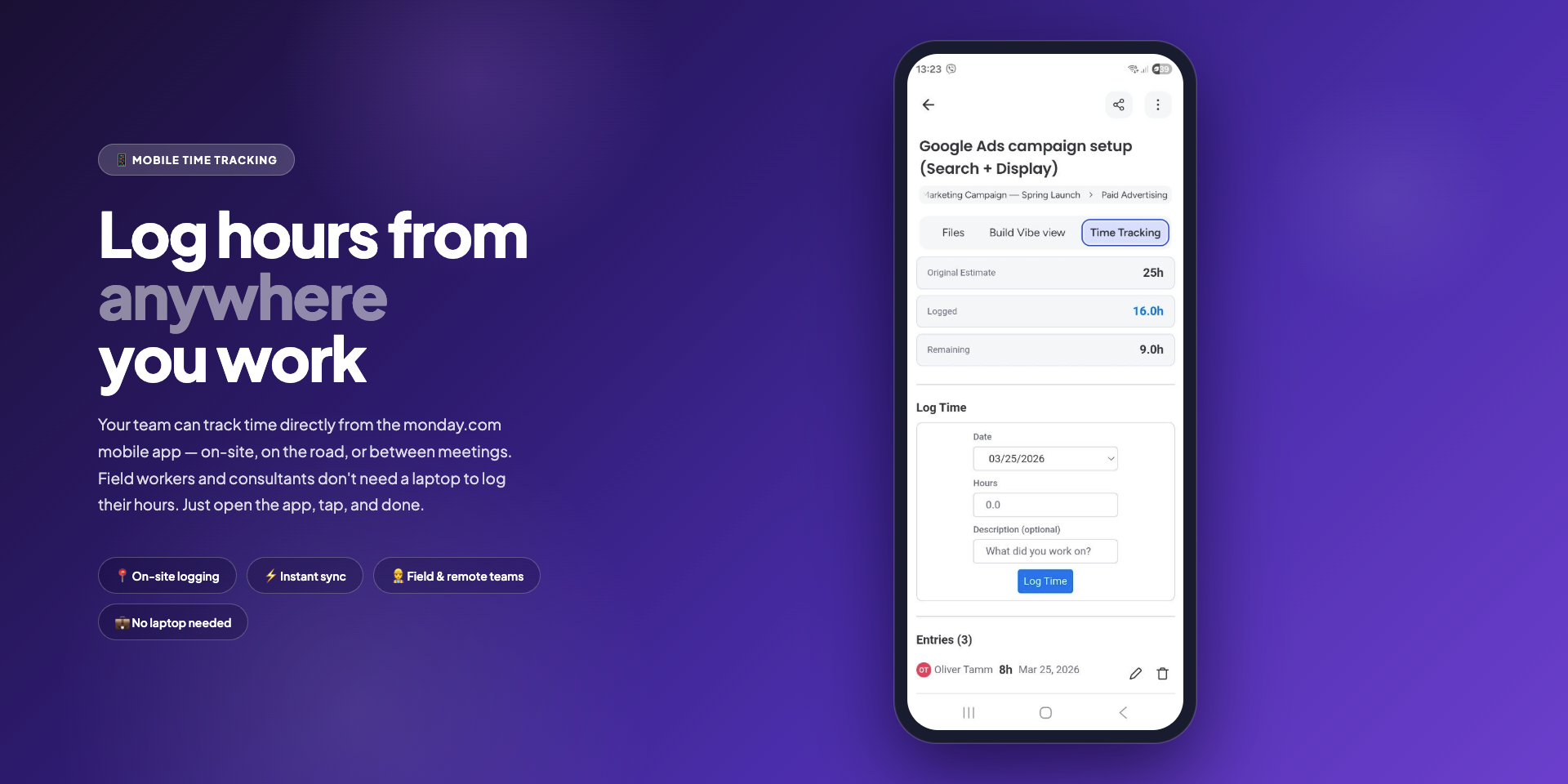
Mobile Time Tracking
Field workers, consultants, and on-the-go teams can log hours straight from the monday.com mobile app - no laptop required. Open the item, tap the time tracking tab, and submit. Everything syncs instantly to the scheduler and timesheets.
Learn more →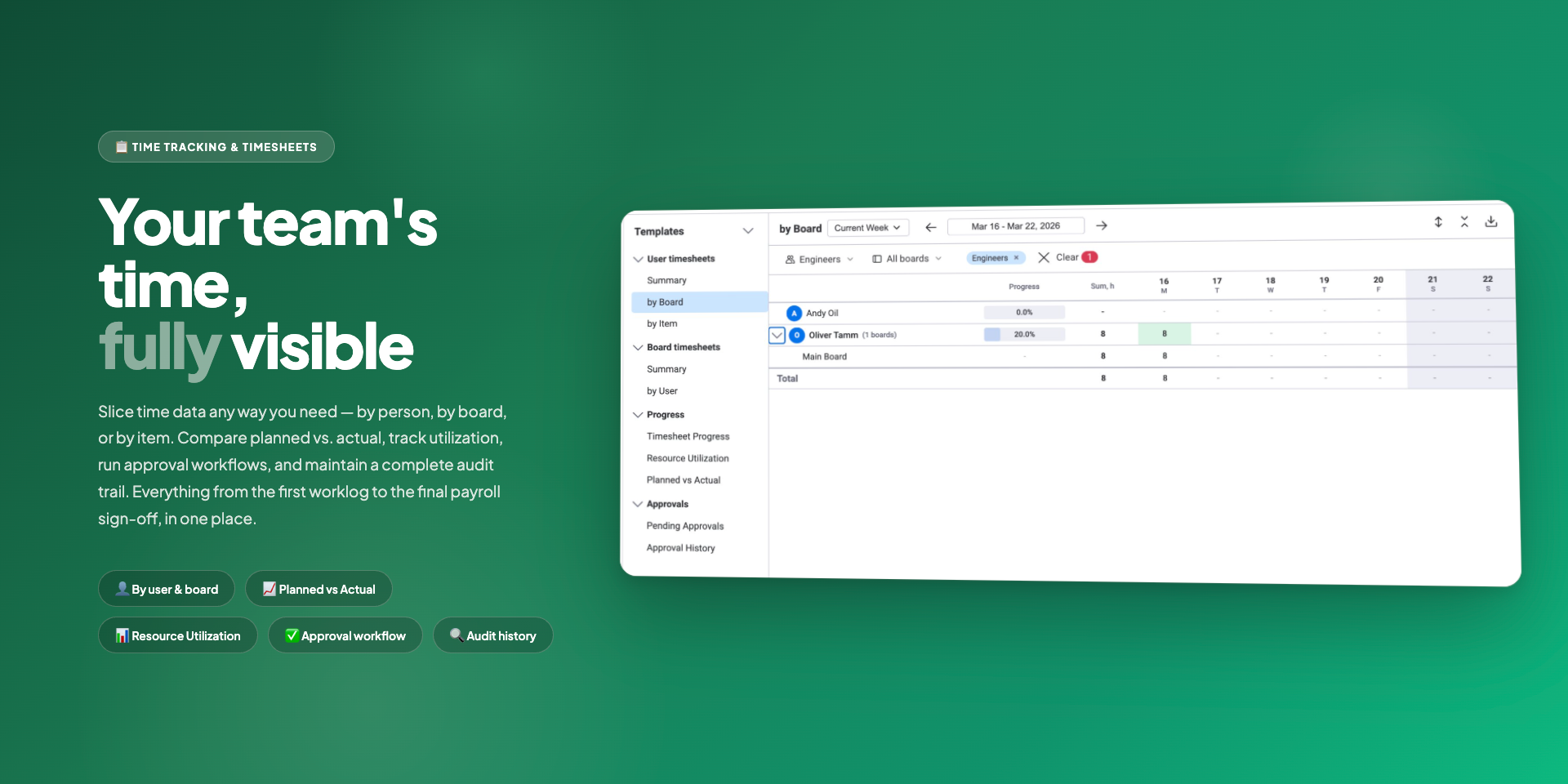
Timesheets
Submit worklogs for manager approval with a structured weekly timesheet workflow. Track approval status across the company with user and board views and progress reports.
Learn more →
Leave Management
Request and approve leave without leaving monday.com, with automatic balance tracking and allocation rules. Leave appears directly on the scheduler so the team always knows who is available.
Learn more →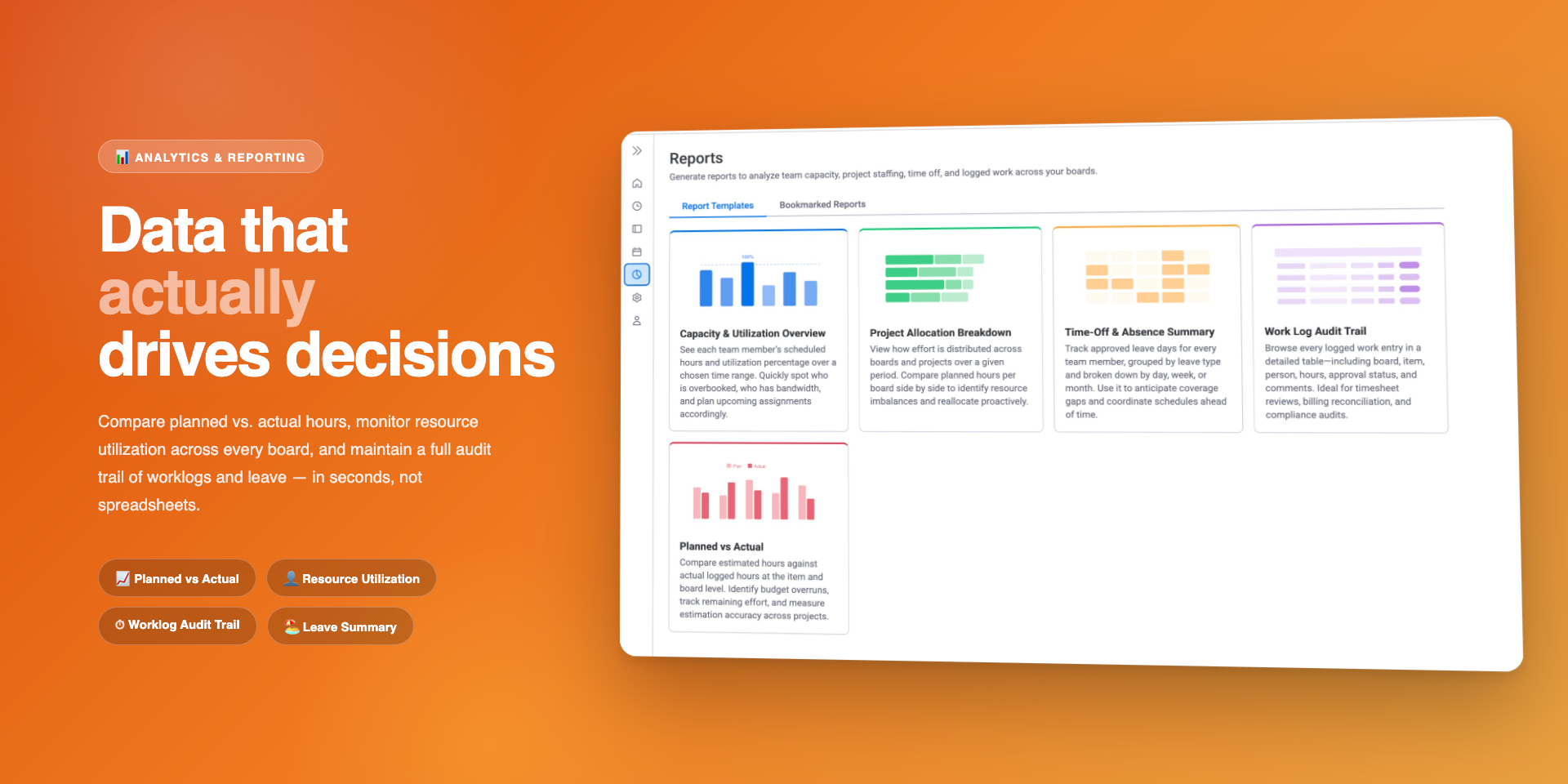
Reports
Generate utilization reports, project allocation breakdowns, worklog audit trails, and leave summaries in seconds. Bookmark your favorite reports and export any dataset to Excel for deeper analysis.
Learn more →