Calendar for Jira app icon

One Jira Calendar for Your Team and Customers

Flexible Calendar for Jira and JSM: display issues and events, color by rules, set permissions, add gadgets, embed in JSM portal.

Free for teams up to 10 users. Runs entirely within Atlassian, on Jira Cloud and Jira Data Center, and is available in 8 languages.

Trusted by teams at

Calendar for Jira in Jira Cloud showing a January 2026 month grid with a Calendars sidebar listing AMPQ Project, Deployments and Holidays, and color-coded entries across the weeks: a team member's out-of-office holiday, an AMPQ deployment, a colleague's vacation and several SCRUM issues carrying To Do and In Progress badges

Plan Jira Issues and Events on a Shared Calendar

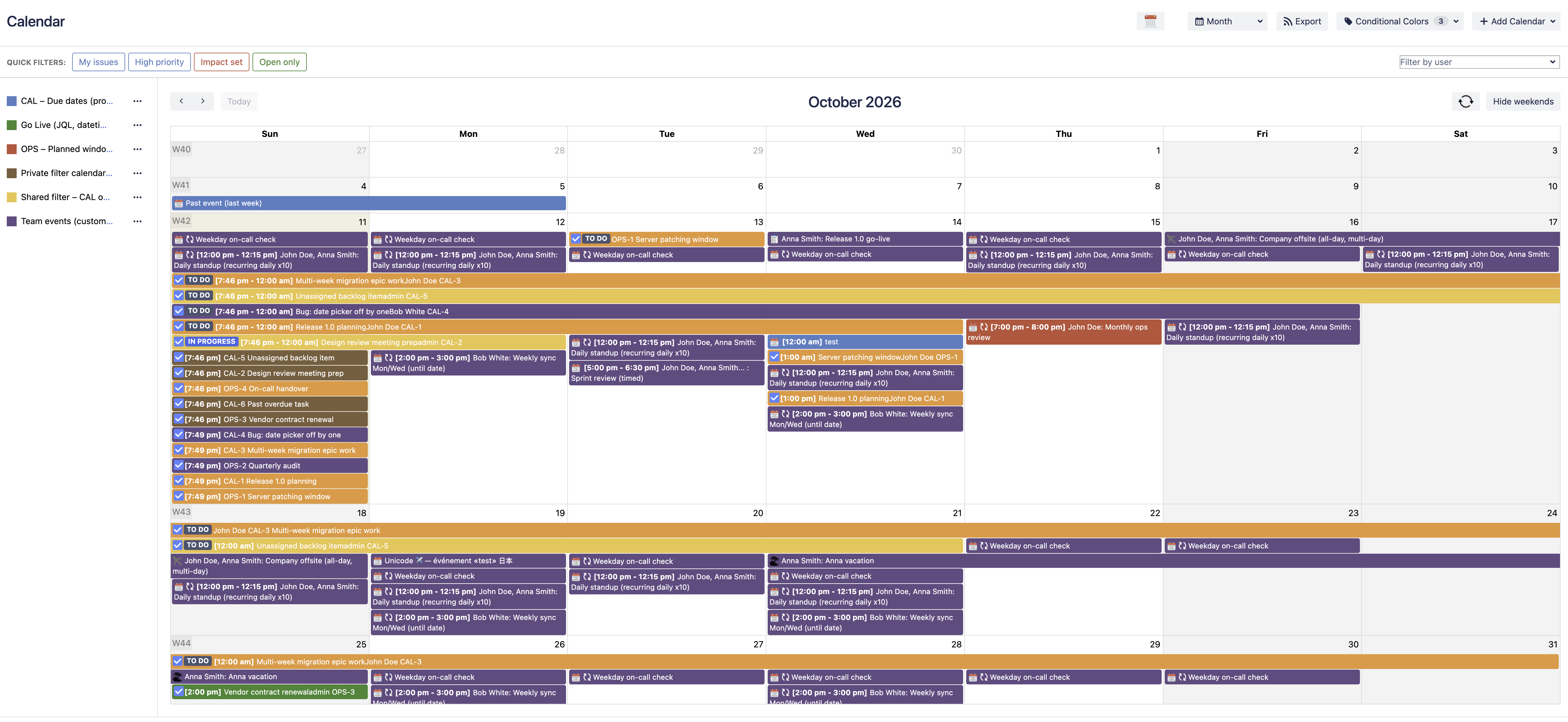
Turn any project, saved filter or JQL query into a shared calendar. Plan issues, deadlines, meetings and milestones across day, week, month, quarter, agenda and timeline views, and layer several calendars on top of each other so nothing slips through. Drag an event to another day and the underlying Jira date field is rescheduled with it.

Learn more about the calendar views
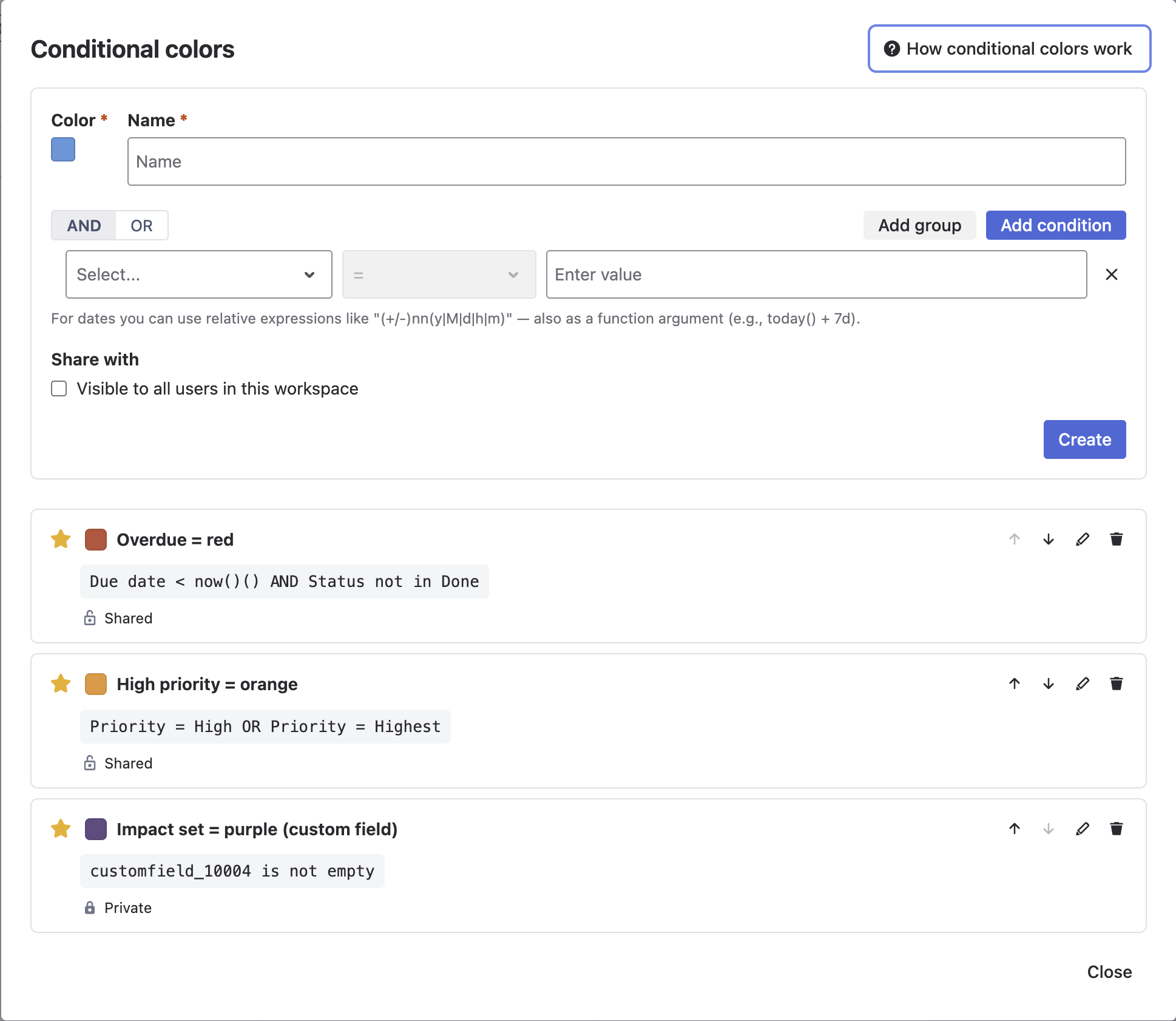
The Conditional Colors rule builder in Calendar for Jira: a rule named Overdue with a color swatch and nested condition groups matching priority Highest, ALL of them, plus ANY of issue type Task or Sub-task, plus a relative due date, with a share-with-other-users checkbox and the saved rule listed underneath

Color Issues by Rule

Paint Jira issues by status, priority, due date or any custom field with reusable AND/OR color rules. Build conditions in nested ALL and ANY groups, keep a rule private or share it with the whole workspace, and read the state of a whole month at a glance instead of opening issues one by one.

Learn more about conditional colors
A Jira issue for launching a v2.0 marketing website with a Linked Events panel underneath, listing three linked entries — a pre-launch QA review meeting, a launch day event and a post-launch retrospective — each with its type, name and date, plus View and Unlink actions and buttons to link an existing event or create a new one

Link Events to Issues and Add Calendar Gadgets

Attach meetings, launch days and retrospectives to the Jira issue they belong to. The Linked Events panel sits on the issue itself, so you can link an existing event or create a new one without leaving it. Then drop the calendar and upcoming-events dashboard gadgets onto any Jira dashboard so the whole team sees what is coming.

Learn more about the issue panel
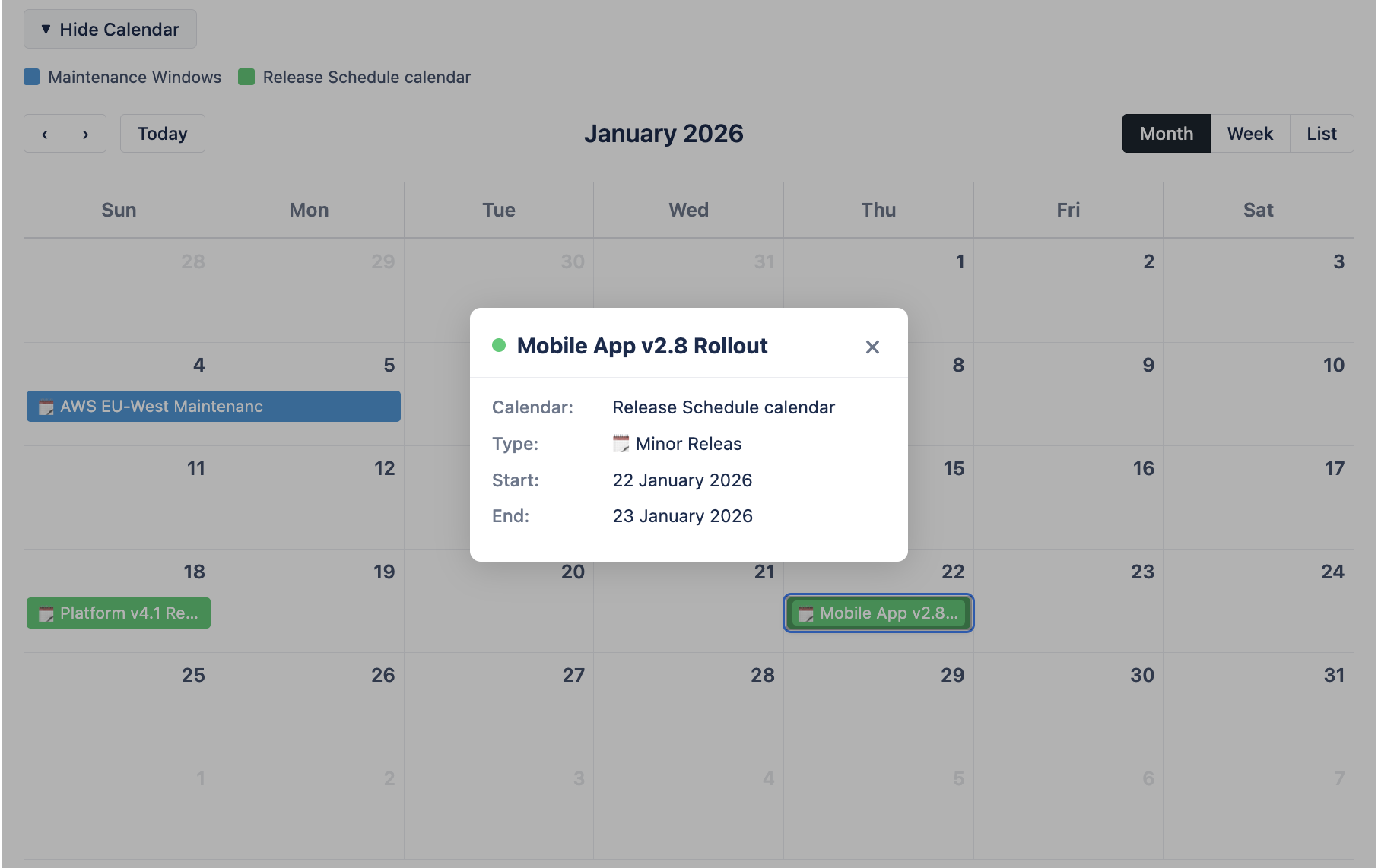
A read-only Calendar for Jira month view embedded in a Jira Service Management portal, showing color-coded maintenance windows and release dates from two calendars, with an event popup open for a Mobile App v2.8 rollout listing its calendar, type and start and end dates

Publish Calendars to Your JSM Portal

Embed a read-only calendar in your Jira Service Management portals and Help Center, so customers and stakeholders can see maintenance windows, release dates and planned downtime without a Jira license. You choose which calendars are published to which portal, and clicking an event shows its dates and type.

Learn more about the JSM portal calendar
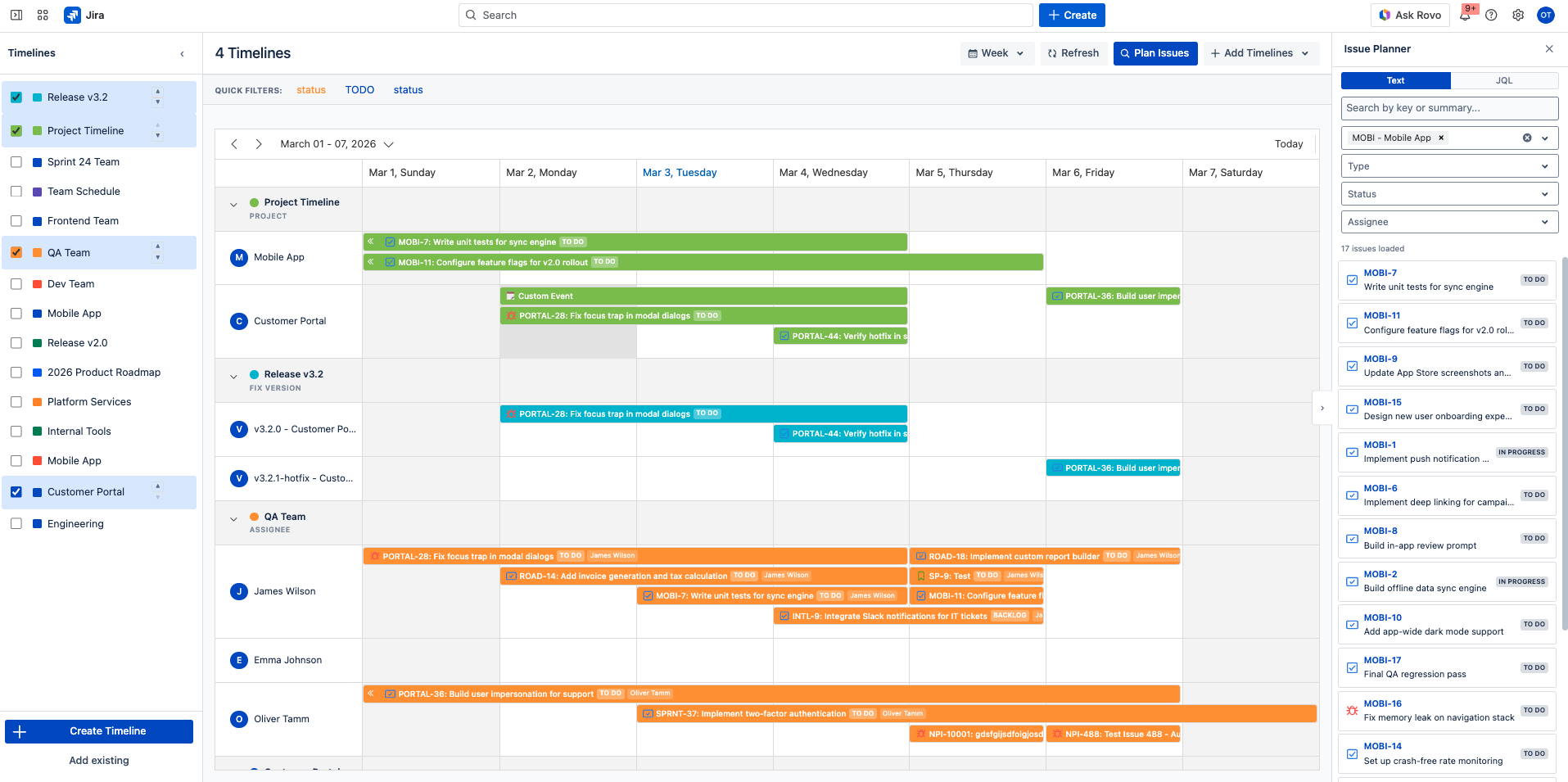
The Calendar for Jira timeline planner in Jira Cloud, week view for 1-7 March 2026, showing four timelines at once: issue bars grouped under a Project Timeline project, a Release v3.2 fix version and a QA Team assignee grouping with a row per person, beside a sidebar of available timelines and an Issue Planner panel listing unscheduled issues to drag onto the grid

Visualize Issues on a Resource Timeline

A Gantt-style resource timeline for Jira issues and custom events, grouped by assignee, sprint, epic, fix version, component, project or any custom field, across seven time scopes from a single day to a full year. Drag bars between rows and dates to reassign or reschedule, and use the Issue Planner to pull unscheduled issues onto the timeline.

Learn more about the resource timeline

More Details

Flexible Calendar for Jira manages issues, events and resources in one place. It runs entirely within Atlassian and is available in 8 languages.

  • Calendar view. Display issues from any project, JQL query or saved filter, and pick which Jira fields supply the start and end date on each calendar — so the same issues can be read by due date on one calendar and by sprint or a custom field on the next. Views from Day to Quarter, plus Agenda and Timeline with grouping by any issue field. Drag-and-drop rescheduling, quick filters, Excel and PDF export, and a multi-calendar view.
  • Conditional colors. Color events by status, priority, due date or any custom field, with relative date expressions and first-match-wins rule ordering.
  • Permissions. Set Read Only, Use or Admin access per calendar and per timeline.
  • JSM portal calendar. Embed calendars into Jira Service Management and the Help Center to show maintenance windows, releases or team availability to customers — no Jira login required.
  • Resource timeline. Plan by assignee, sprint, epic, version, component or custom field, put multiple timelines side by side, and drag work between resources and dates.
  • And more. Custom event types, events linked to issues, recurring events, email reminders and dashboard gadgets.

Calendar for Jira runs on Jira Cloud and on Jira Data Center. If you are moving from Data Center to Cloud, calendars, custom events, event types, conditional colors, permissions and settings can be carried across with the Jira Cloud Migration Assistant — see the Data Center documentation. Setup, sources and permissions are covered in the Calendar for Jira documentation.

A Look Inside the App

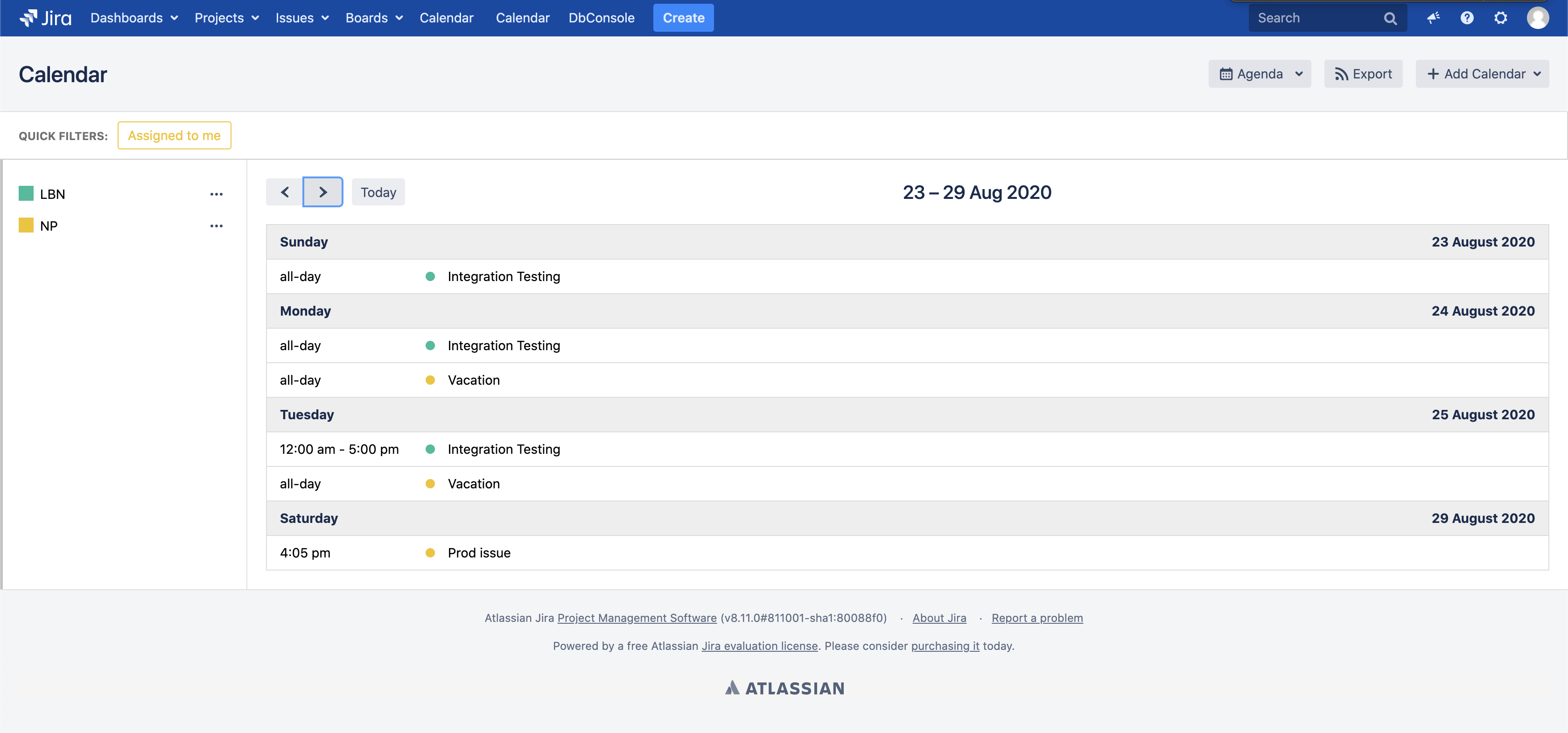
The Agenda view in Calendar for Jira listing events in chronological order by day
Agenda view
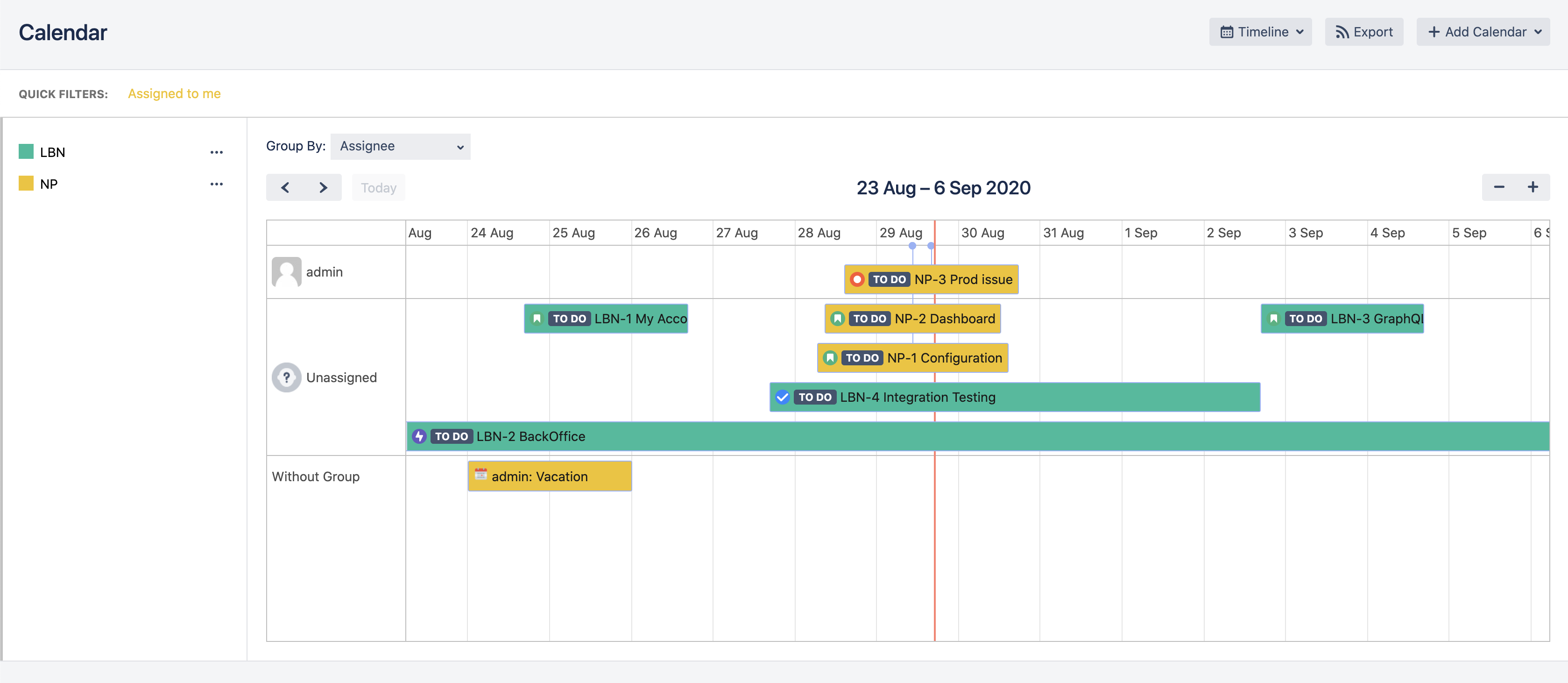
A Calendar for Jira timeline grouped by assignee, with issue bars and a vacation event laid out across a fortnight
Group by assignee
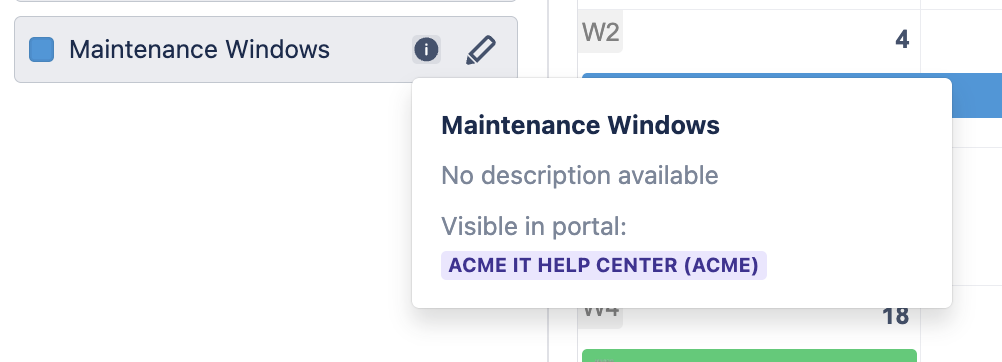
A calendar's info tooltip in Calendar for Jira showing which Jira Service Management help center it is published to
Portal visibility
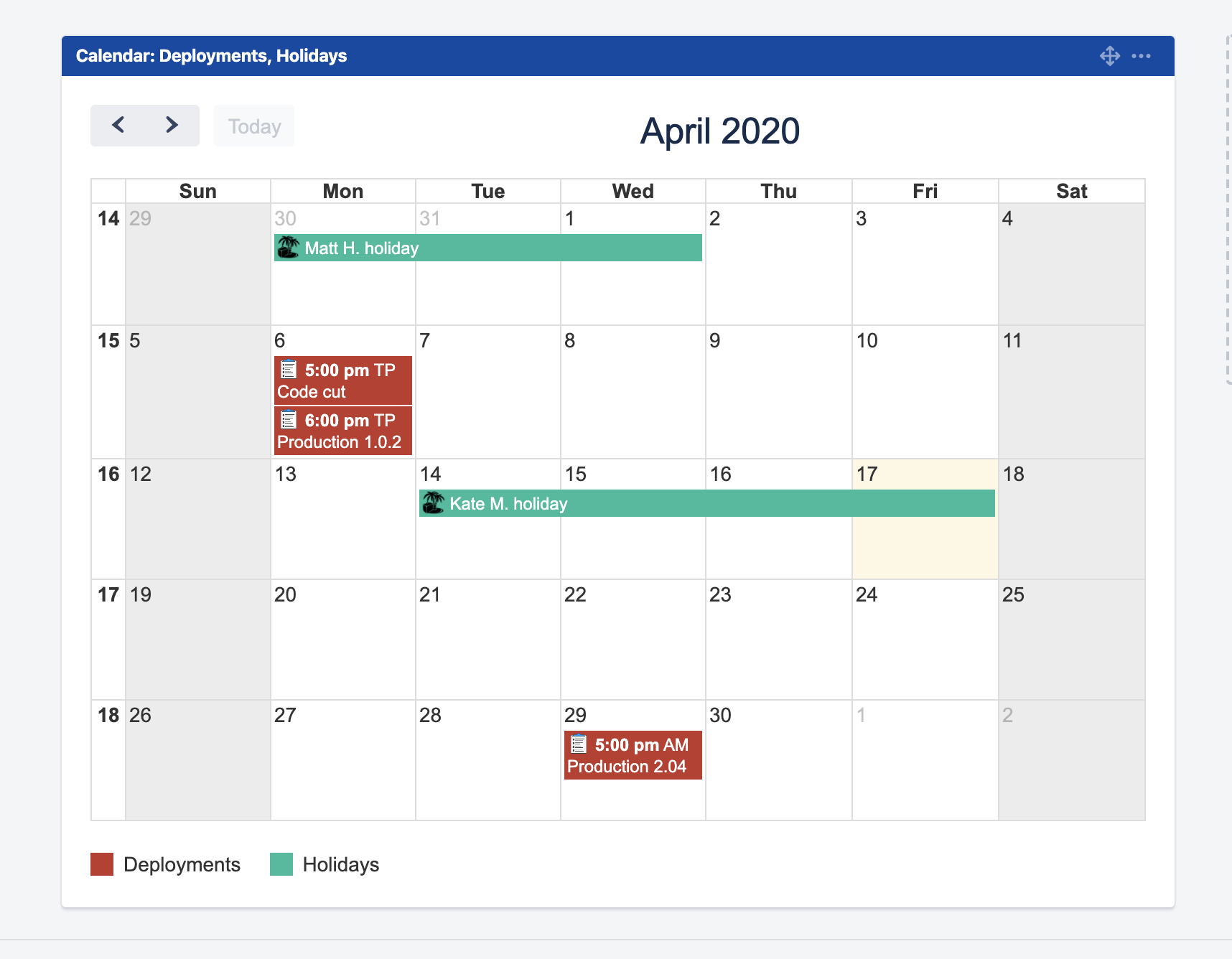
The Calendar for Jira dashboard gadget showing a month of color-coded events on a Jira dashboard
Dashboard gadget

Frequently Asked Questions

Does Jira have a calendar view?

Jira Cloud has no general-purpose calendar of its own. Calendar for Jira adds one: eight view layouts covering Month, Week, All Week, Day, Basic Day, Agenda, Quarter and Timeline, showing Jira issues from the projects and filters you choose alongside custom events. Dragging an event to another day updates the underlying Jira date field.

Can I build a Jira team calendar that everyone sees the same way?

Yes. Create a calendar, choose its event sources, add your own event types and set permissions on it. Calendars can be public or private, other people can add an existing calendar to their sidebar without duplicating it, and quick filters can be shared so the whole team looks at the same slice of work.

How does the Jira Service Management calendar work?

Enable the portal calendar in the app configuration and pick which calendars appear on the Help Center home page and on individual Service Desk portals. Customers can browse maintenance windows, release dates and other events in Month, Week or List view and open an event for details. Custom events are visible to all visitors, including anonymous and unlicensed users.

What is the difference between the calendar and the Jira resource timeline?

The calendar answers what is happening on a date. The resource timeline answers who is doing it: a Gantt-style board where rows are grouped by assignee, sprint, epic, fix version, component, project or a custom field, and issue bars are dragged between rows to reassign or move work. Both live in the same app.

Which Jira hosting options are supported?

Calendar for Jira runs on Jira Cloud and on Jira Data Center. If you are moving from Data Center to Cloud, calendars, custom events, event types, conditional colors, permissions and settings can be carried across with the Jira Cloud Migration Assistant — see the Data Center documentation.

Give Jira the Calendar It Has Always Been Missing

Install it on your site and have a shared team calendar running before your next standup — or let us show you the resource timeline and the JSM portal calendar on a call.

Prefer to read first? Start with the Calendar for Jira documentation.