What Are Capacity Schemes Back to top
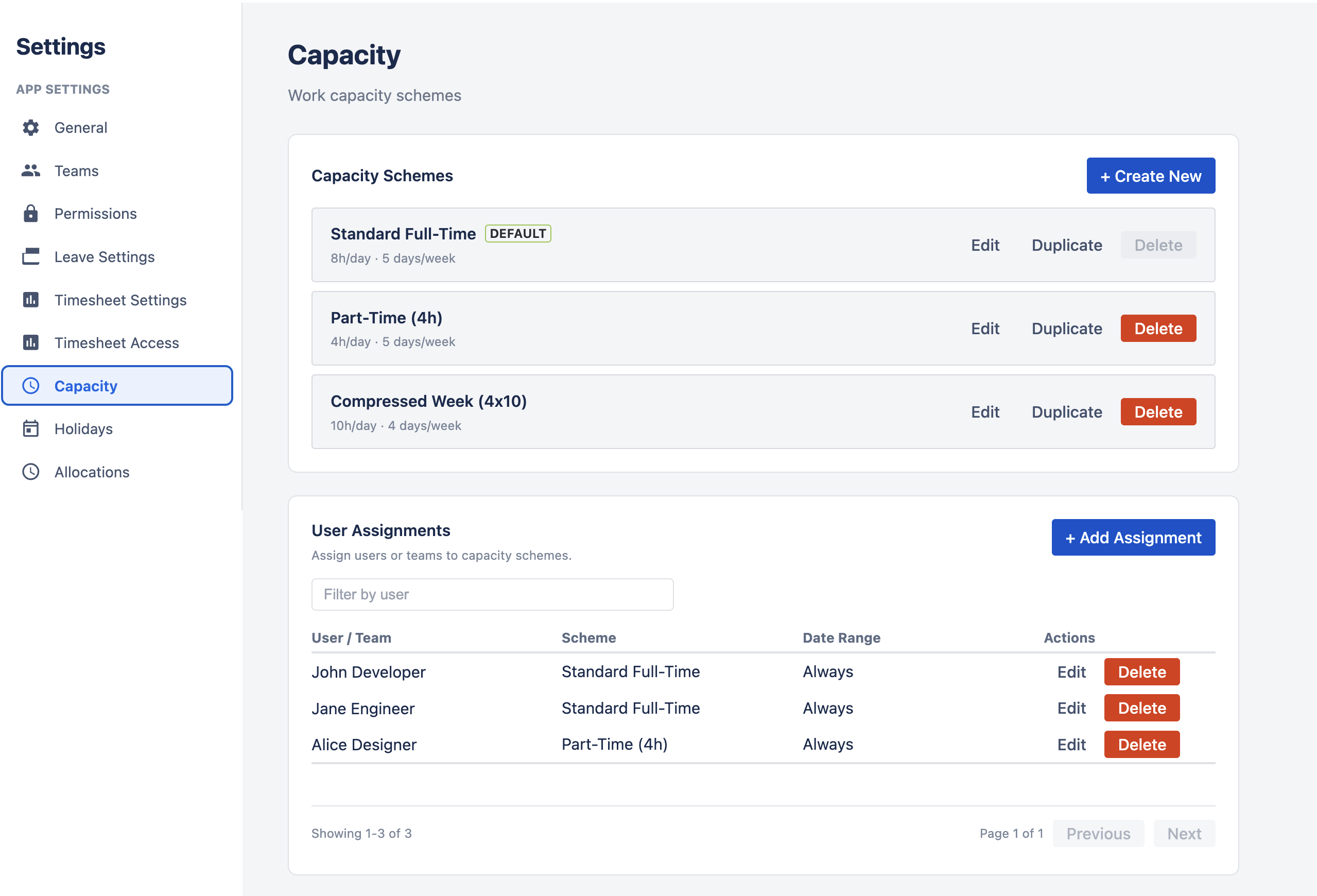
A capacity scheme defines how many hours a person is available to work on each day of the week. Each scheme contains seven values — one for each day from Monday to Sunday — with each value ranging from 0 to 24 hours. The app uses these values to calculate how much capacity each team member has available on any given day.
Why Capacity Matters
Accurate capacity data is the foundation of workload planning. Without it, the scheduler cannot tell you whether a team member is over-allocated or has available hours. Capacity schemes let you model real-world schedules — part-time employees, compressed work weeks, weekend shifts — so the workload indicators on the timeline reflect reality.
Default Scheme Back to top
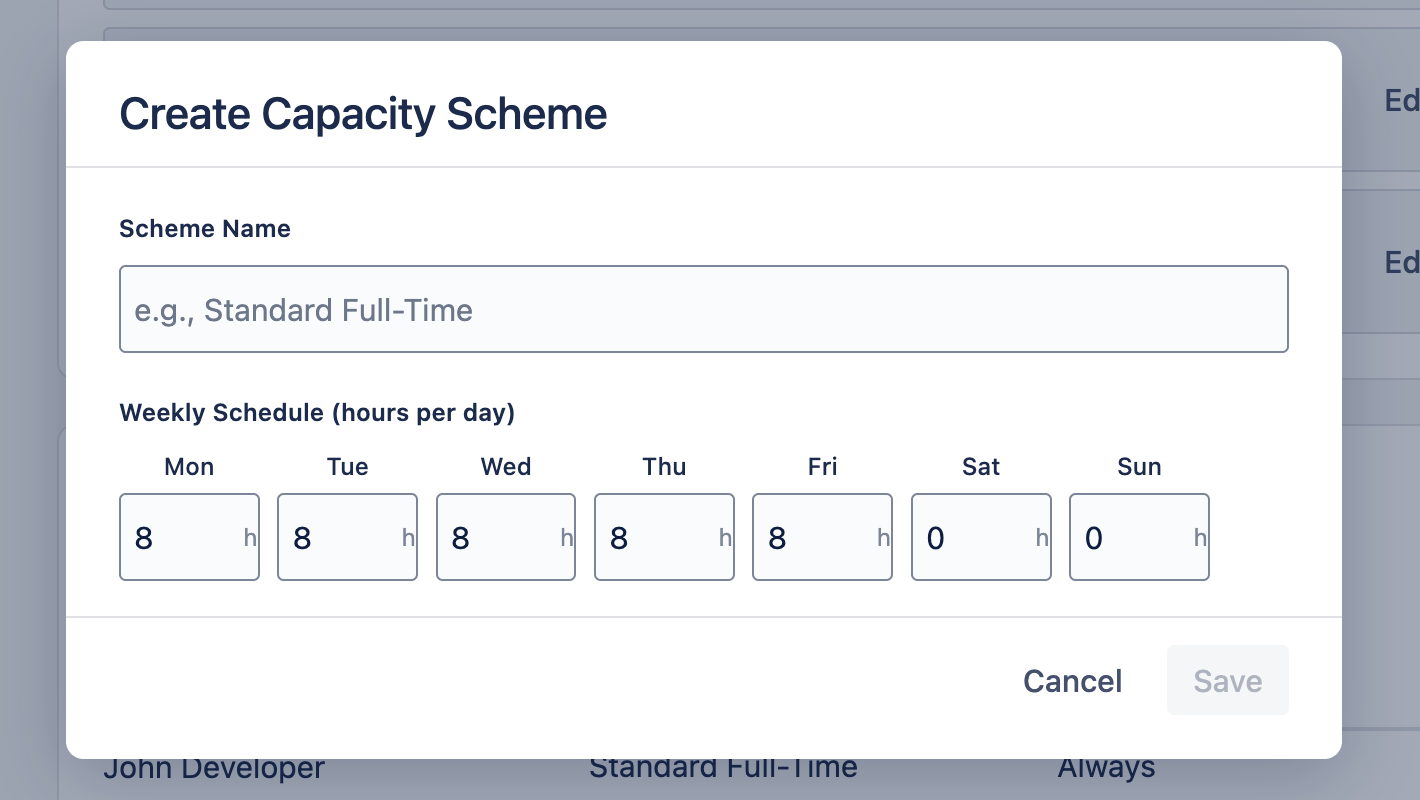
The app ships with a built-in Standard Full-Time scheme that applies to all users who have not been assigned a custom scheme. This default represents a typical 40-hour work week:
| Day | Mon | Tue | Wed | Thu | Fri | Sat | Sun |
|---|---|---|---|---|---|---|---|
| Hours | 8 | 8 | 8 | 8 | 8 | 0 | 0 |
The default scheme totals 40 hours per week. Any user without an explicit scheme assignment uses this schedule for workload calculations.
Creating Custom Schemes Back to top
To create a custom capacity scheme, navigate to Settings (admin only) > Capacity and click "Create Scheme". Enter a name and set the hours for each day of the week.
Common Examples
Part-Time
4h Mon–Fri, 0h weekends
20h/week
Compressed Week
10h Mon–Thu, 0h Fri–Sun
40h/week
Weekend Support
0h Mon–Fri, 8h Sat–Sun
16h/week
You can create as many schemes as needed to model different working arrangements across your organization. Each scheme is independent and can be assigned to any number of users.
Managing Schemes Back to top
From the Settings > Capacity tab, you can manage existing schemes with the following actions:
- Edit — Change the scheme name or adjust hours for any day. Changes take effect immediately for all assigned users.
- Duplicate — Create a copy of an existing scheme with a new name. Useful for creating variations (e.g., "Part-Time Morning" vs "Part-Time Afternoon").
- Delete — Remove a scheme. Users who were assigned the deleted scheme will fall back to the default scheme.
Assigning Schemes to Users Back to top
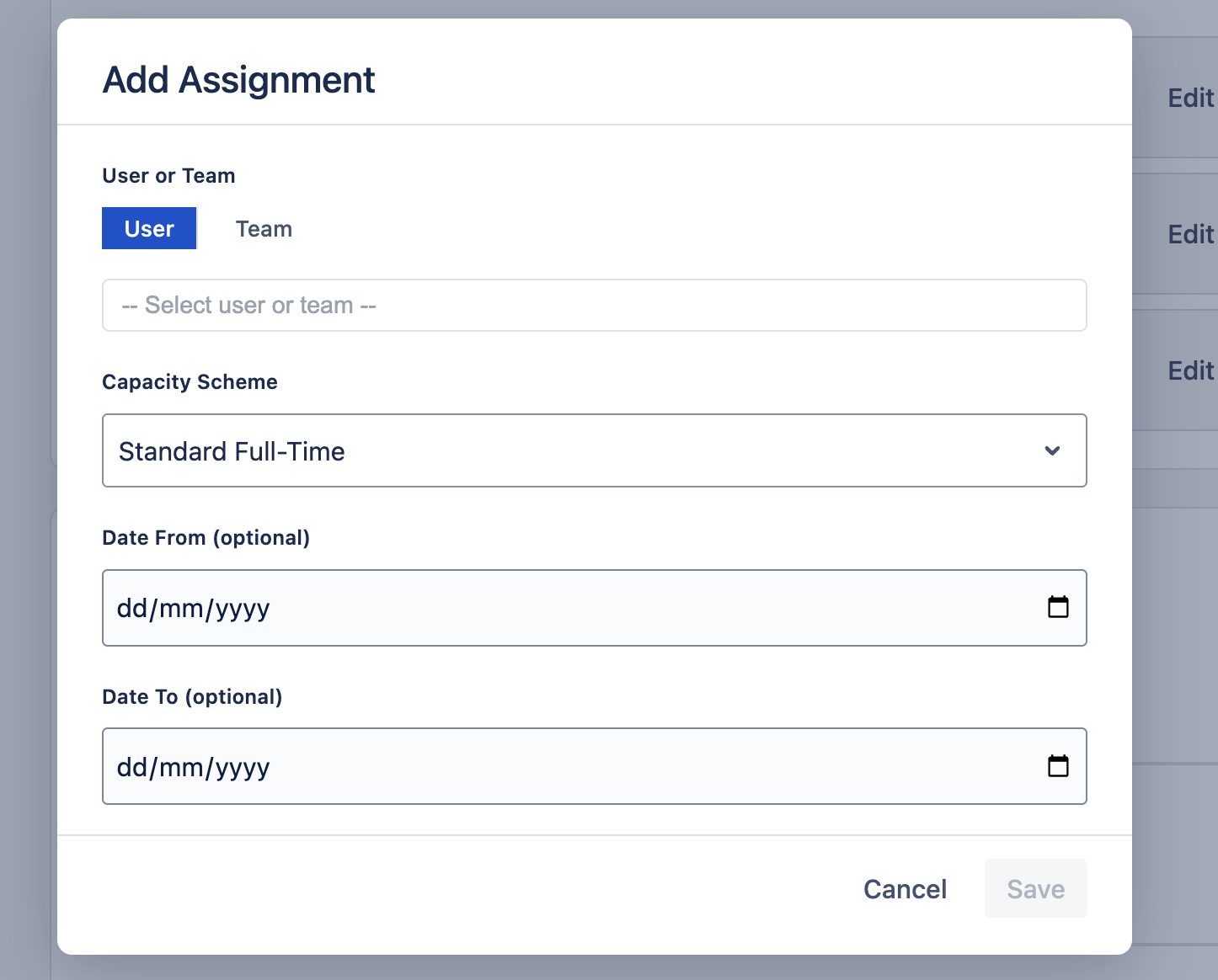
Each user can be assigned exactly one capacity scheme. If no scheme is explicitly assigned, the user uses the default scheme.
To assign a scheme:
- Open Settings > Capacity and select the scheme you want to assign.
- Click "Assign Users" to open the user picker.
- Search for a user by name — type at least 2 characters to see results. The picker supports large teams (10,000+ users) with debounced search.
- Tick the users you want in the dropdown. The list stays open so you can select several people in one pass; already-selected users show a checked box. Click Save to apply the scheme to everyone you ticked.
Users can view their assigned capacity scheme on the My Account page. If you reassign a user to a different scheme, the previous assignment is replaced.
One Assignment per User or Team
Each user or team can have one assignment, and it applies at all times — shown as "Always" in the assignments table. If you see an "overlapping assignment" error, find the existing row for that user or team and edit it instead of adding a new one. Assignments created in earlier versions with a date range still show that range and apply only within it.
How Capacity Feeds into Workload Back to top
The workload indicator on the scheduler uses capacity to determine whether a user is under-allocated, at capacity, or over-allocated on each day. The utilization formula is:
Utilization % = (Scheduled Hours / Capacity Hours) × 100
The workload bar is color-coded based on the utilization percentage:
| Utilization | Color | Meaning |
|---|---|---|
| 0% | Grey | No work scheduled — fully available |
| 1% – 99% | Green | Under capacity — has available hours |
| 100% | Blue | At capacity — fully booked |
| > 100% | Red | Over-allocated — more work than available hours |
Capacity is also reduced by approved leave and holidays. On a holiday or full-day leave, capacity drops to 0 regardless of the scheme. On a partial leave, capacity is reduced by the hours taken off.
Need Help?
If you have questions or need assistance with capacity schemes, our support team is here to help.
Contact Support