Overview Back to top
The My Account page shows your personal configuration within WorkHub. It is a read-only view — to change any assignment, contact your Jira site administrator or App Admin. Access it from the sidebar navigation.
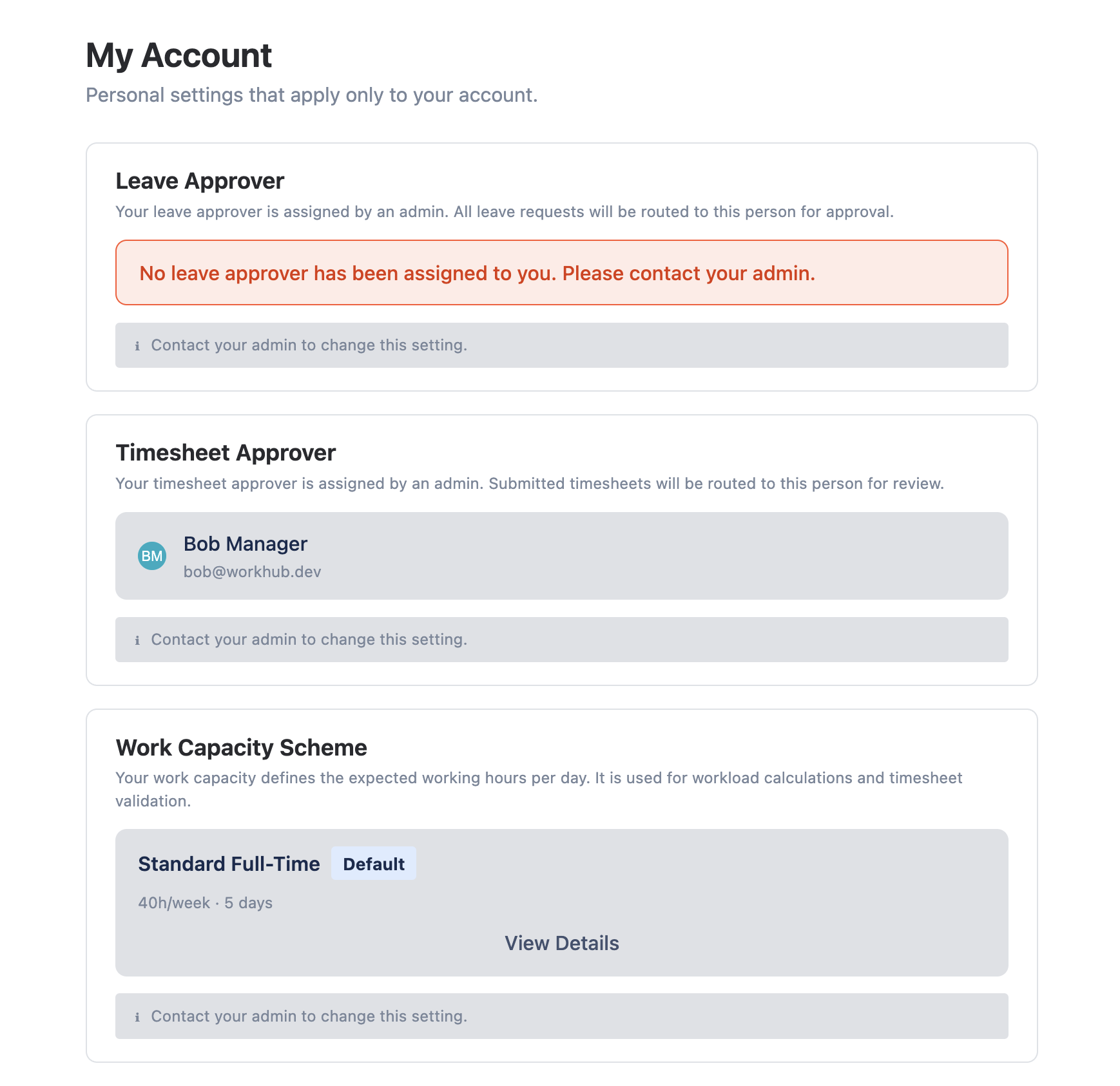
The page displays four key assignments that determine how WorkHub handles your capacity, time off, and approval workflows:
- Leave Approver — who reviews your leave requests.
- Timesheet Approver — who reviews your submitted timesheets.
- Capacity Scheme — your work schedule and daily available hours.
- Holiday Calendar — which public holidays apply to you.
Assigned Leave Approver Back to top
Shows who will review your leave requests. When you submit a leave request (vacation, sick leave, personal, etc.), it is routed to this person for approval or rejection.
If no approver is assigned, leave requests may be auto-approved depending on admin configuration. Contact your admin if this field shows "Not assigned."
Leave approvers are configured by admins in Settings › Leave Settings. If your approver is incorrect or missing, ask your Jira site administrator or App Admin to update the assignment.
Assigned Timesheet Approver Back to top
Shows who will review your submitted timesheets. When you submit a weekly or monthly timesheet, it goes to this person for approval.
If no approver is assigned, timesheet submission may fail. Contact your admin to set up approval rules in Settings › Timesheet Access.
Assigned Capacity Scheme Back to top
Shows your current work capacity scheme (e.g., "Standard Full-Time: 8h/day Mon-Fri"). This determines your daily available hours for workload calculations on the scheduler and in reports.
If no custom scheme is assigned, the default scheme applies. Common capacity schemes include:
- Standard Full-Time — 8 hours per day, Monday through Friday.
- Part-Time — 4 hours per day, Monday through Friday.
- Compressed Week — 10 hours per day, Monday through Thursday, off Friday.
For more details on how capacity schemes work, see Capacity Schemes.
Assigned Holiday Calendar Back to top
Shows which holiday calendar applies to you (e.g., "US Federal Holidays 2026"). Holidays from this calendar reduce your available capacity to 0 on those days, and they appear as colored blocks on the scheduler timeline.
If no calendar is assigned, the default calendar applies (if one is set by your admin). Organizations with employees in multiple countries typically configure separate holiday calendars for each region.
For more details on how holiday calendars work, see Holiday Calendars.
If you see holidays from the wrong country or region, ask your admin to reassign the correct holiday calendar to you in Settings › Holidays.
Need Help?
If you have questions or need assistance with WorkHub for Jira, our support team is here to help.
Contact Support