What a Scheme Is Back to top
A capacity scheme sets how many hours a person is expected to work on each day of the week — for example 4 hours Monday to Friday for a part-time role, or 10 hours Monday to Thursday for a compressed week.
People without a scheme use the work hours and work days from Settings → General — 8 hours, Monday–Friday unless changed.
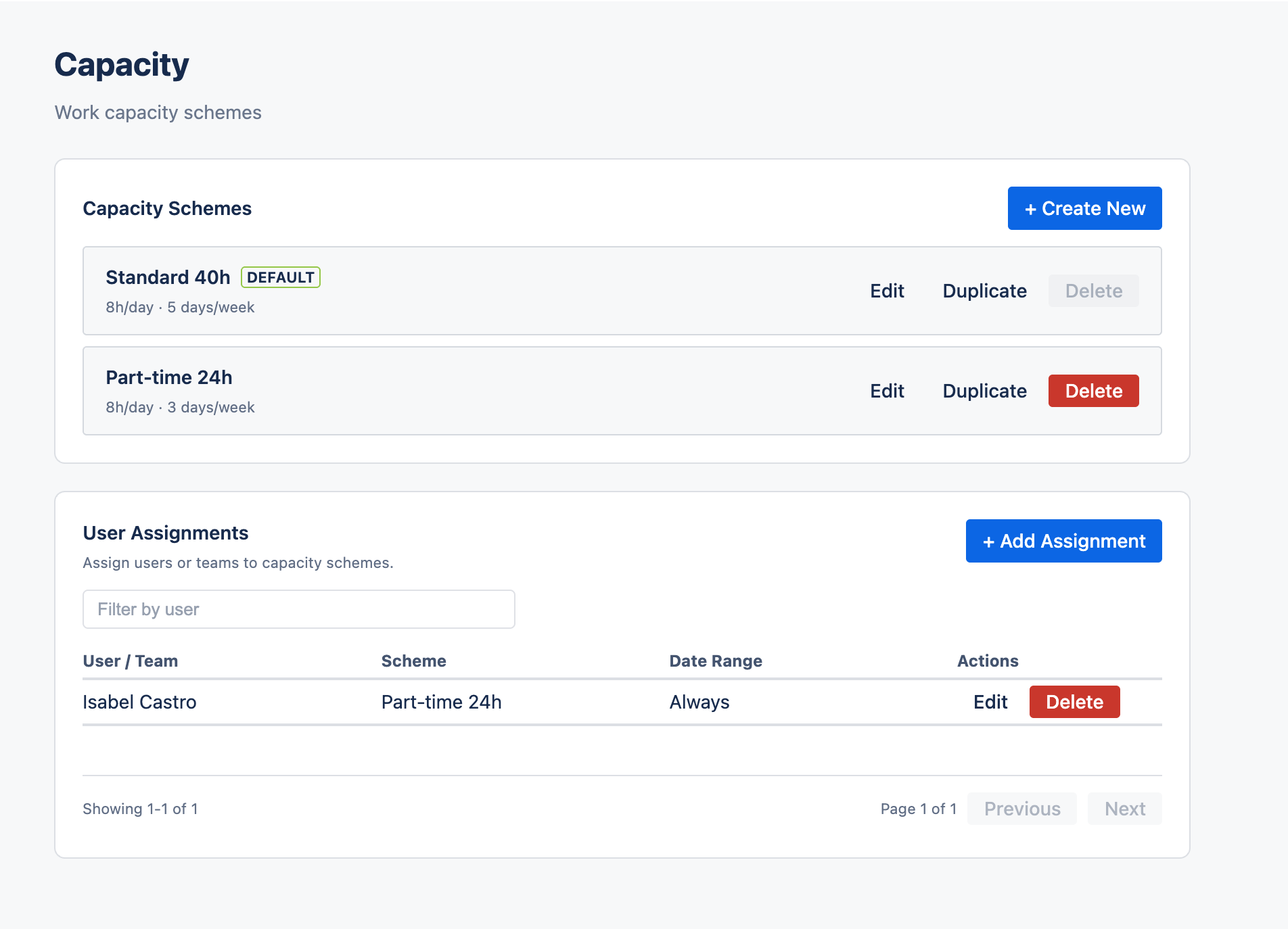
Create and Manage Schemes Back to top
- Go to Settings → Capacity and click + Create New.
- In Create Capacity Scheme, enter a Scheme Name.
- Under Weekly Schedule (hours per day), enter the hours for each weekday. Use 0 for days off.
- Save.
Each scheme in the list has Edit, Duplicate and Delete. Changes to a scheme apply to everyone who uses it.
Assign a Scheme Back to top
- In User Assignments, click + Add Assignment.
- Pick one or more users or teams.
- Choose the Capacity Scheme and click Save.
A person's own assignment wins over their team's. Each user or team has one assignment — to change the scheme, edit the existing assignment.
What Capacity Affects Back to top
- Timesheet Progress — the required hours each person is measured against.
- Leave — the working days counted in a leave request and in the “Taken in” totals on the My leave tab.
- Leave Report — the working days and hours of leave.
Holidays and full-day leave count as 0 hours. Partial-day leave subtracts its hours from that day. Everyone can see their own scheme on My Account.
Need Help?
If you have questions or need assistance with capacity schemes, our support team is here to help.
Contact Support