Overview Back to top
A team is a named group of Jira users. Pick a team on the Scheduler, in Timesheets or in Reports to see only its members. A person can be in several teams, and deleting a team never touches anyone's issues, worklogs or leave.
On large Jira sites, teams keep the Scheduler fast and focused, because it does not have to load every user at once.
Creating a Team Back to top
Only app admins can create and change teams.
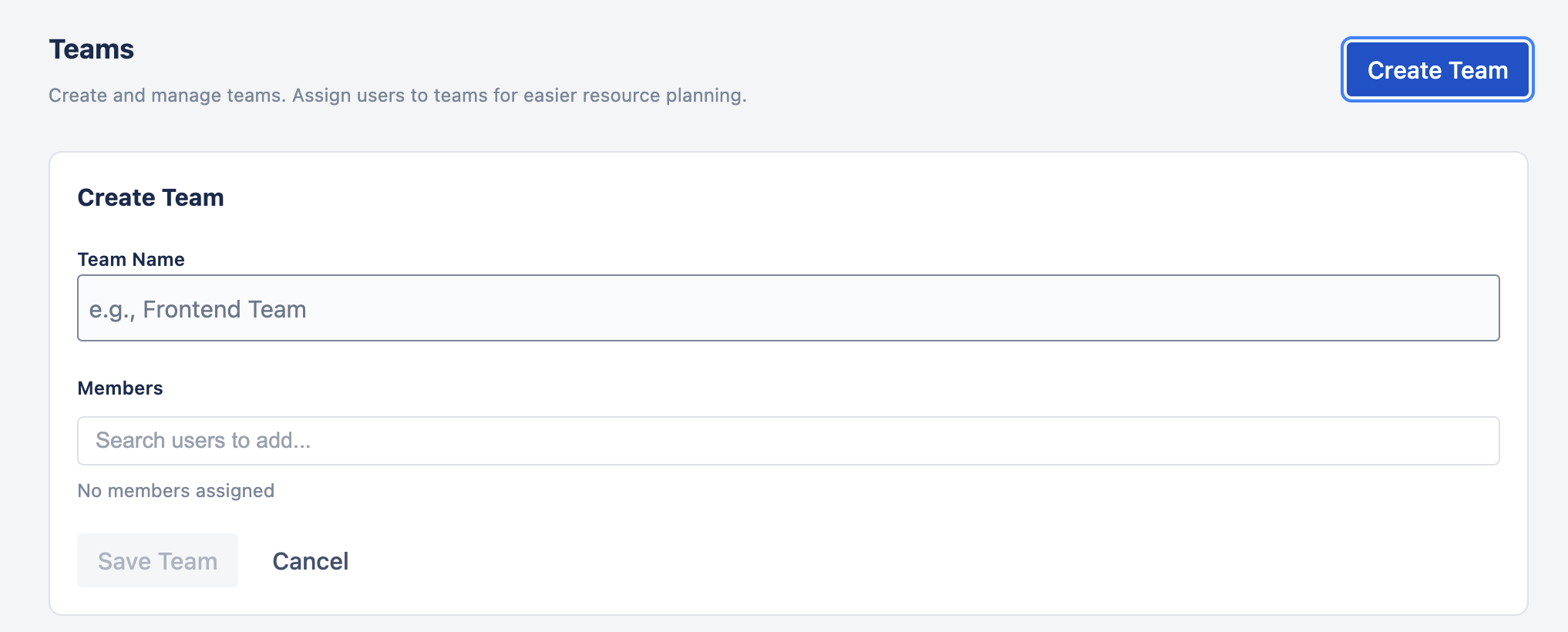
- Go to Settings › Teams and click Create Team.
- Enter a Team Name, for example "Frontend Team".
- Under Members, type a name and tick the people to add. Click × on a name to remove it.
- Click Save Team.
Managing Teams Back to top
The Teams list shows each team and its member count. Use Edit Team to rename it or change members, and Delete Team to remove it.

To let someone approve leave and timesheets and plan work for a team, make them a Team Manager in Permissions. Teams can also be given a capacity scheme and a holiday calendar.
Using Teams as Filters Back to top
Open Filter on the Scheduler and pick one or more teams to show only their members. Timesheets and Reports offer the same team filter. Each person sees the teams they belong to or look after; admins see all teams. In Timesheets, you only see teams whose time you are allowed to view, not simply the teams you belong to.
Need Help?
If you have questions or need assistance with WorkHub for Jira, our support team is here to help.
Contact Support