When your admin turns on the approval workflow, people submit their logged hours for each period and an approver accepts or rejects them. For the reporting views, see Timesheet Reports.
Submitting Timesheets Back to top
- Open Time Tracking and go to the period you want to submit (a week, two weeks, or a month, depending on your admin’s setting).
- Check your worklogs.
- Click Submit for Approval. The timesheet goes to your approvers.
You need at least one worklog in the period. You can submit the current week from its first day, but not a period that hasn’t started. If your admin turned on worklog locking, you can’t change worklogs while the timesheet is submitted or approved.
Statuses
| Draft | Not submitted yet. |
| Submitted | Waiting for an approver. |
| Approved | Accepted by an approver. |
| Rejected | Sent back with a reason. Fix your worklogs and click Resubmit for Approval. |
| Reopened | An approved timesheet was opened again for corrections. Fix and resubmit. |
Reviewing & Approving Back to top
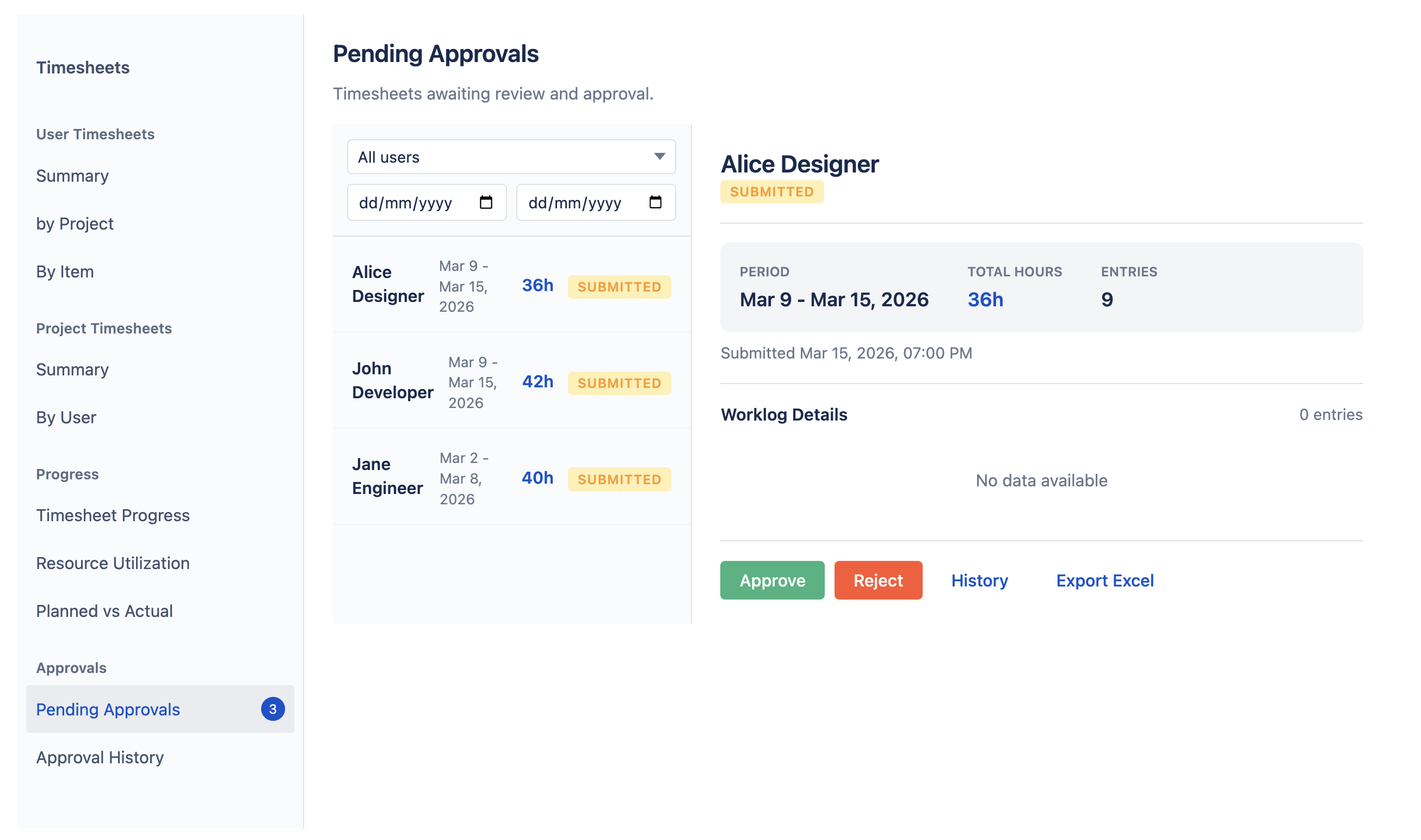
If you approve timesheets, open Timesheets and go to Approvals in the left sidebar. Pending Approvals lists submissions waiting for you, with each person’s hours and worklogs.
- Approve accepts the timesheet.
- Reject sends it back. You must give a reason of at least 10 characters.
Reopening an approved timesheet
Approval History lists past decisions. To allow corrections to an approved timesheet, click Reopen and give a reason. You can’t reopen your own timesheet unless you are an app admin or organization manager.
Who approves Back to top
Your timesheet can be approved by your team manager, an app admin or organization manager, or a person assigned to you in Advanced Access. Whoever acts first decides.
- You can’t approve your own timesheet unless you are an app admin or organization manager, or an admin made you your own approver — then it is approved automatically.
- If no one can approve your timesheet, you can’t submit it. Ask an admin to assign an approver.
Need Help?
If you have questions about timesheet approval or need help with your setup, our support team is here to help.
Contact Support